Schematic 설계

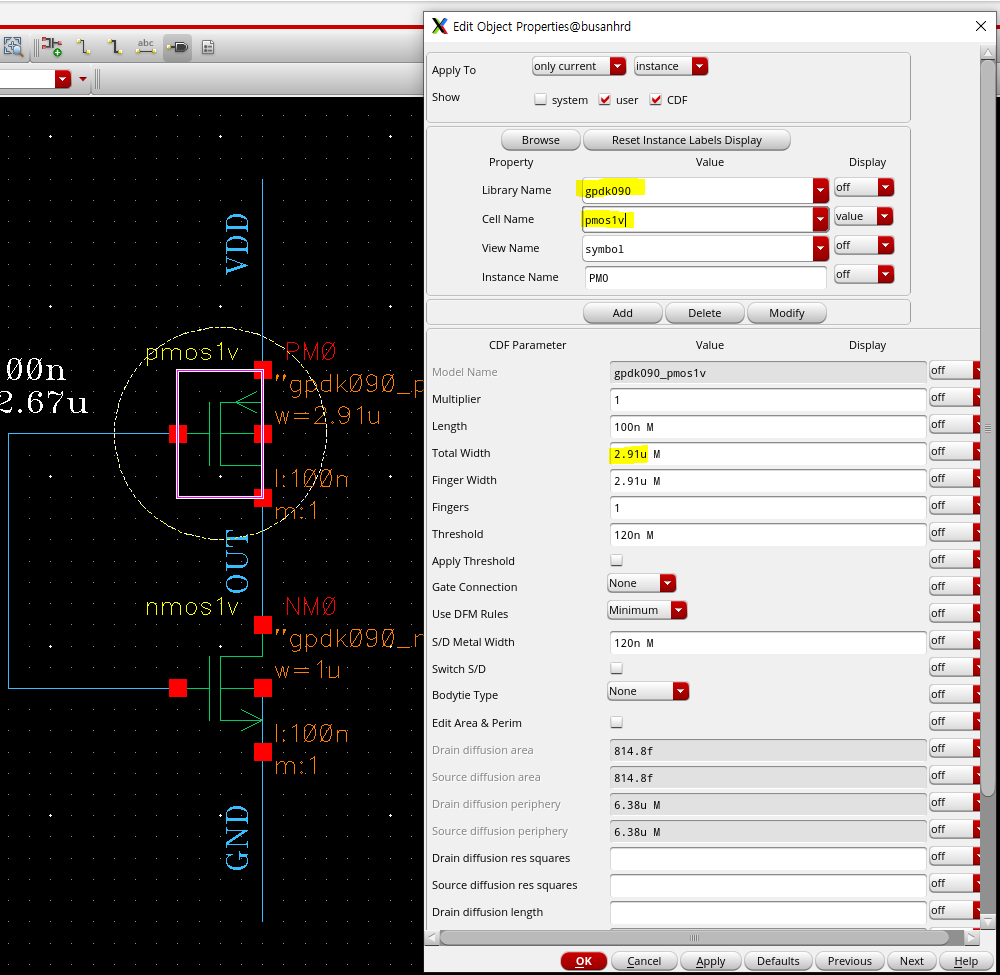
property (단축키 Q) 조정
gpdk090 라이브러리의 pmos1v, nmos1v 사용
(라이브러리 보충)
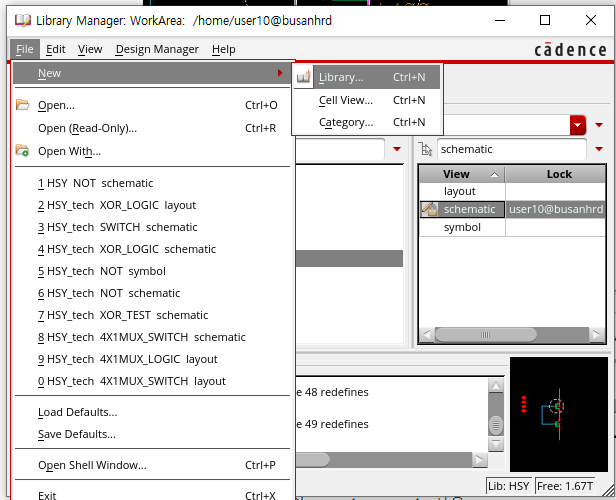
처음 라이브러리 생성 할 때,
file>new>library
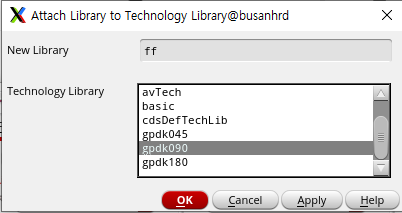
'Attach to an existing technology library' > gpdk090으로 설정 해주었어야 함

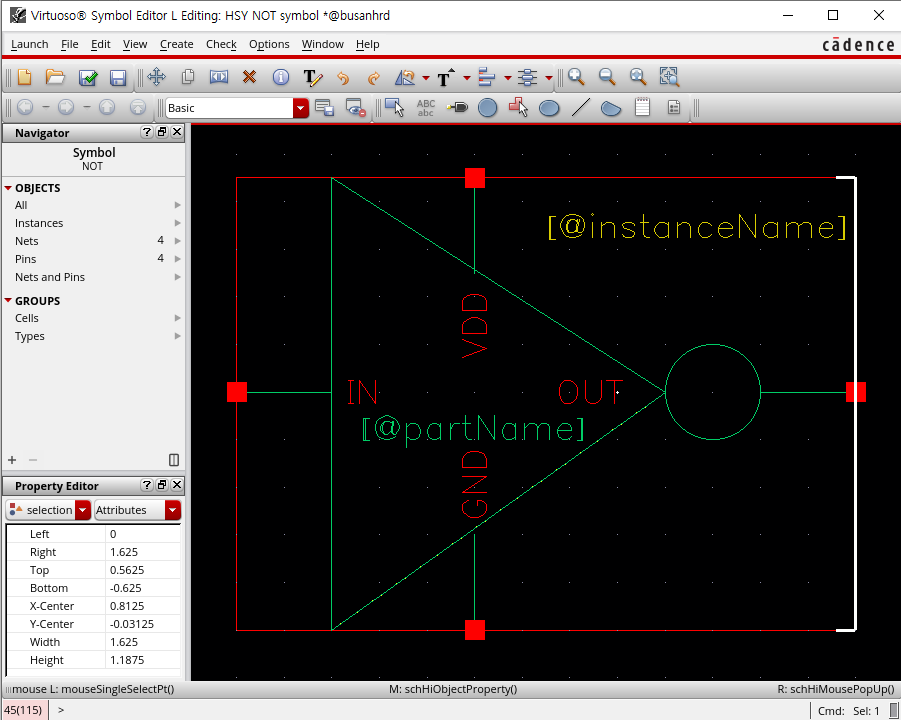
Symbol
(schematic 작성 후 > create > Cellview > From Cellview 에서 symbol 선택)

테스트 벤치 작성
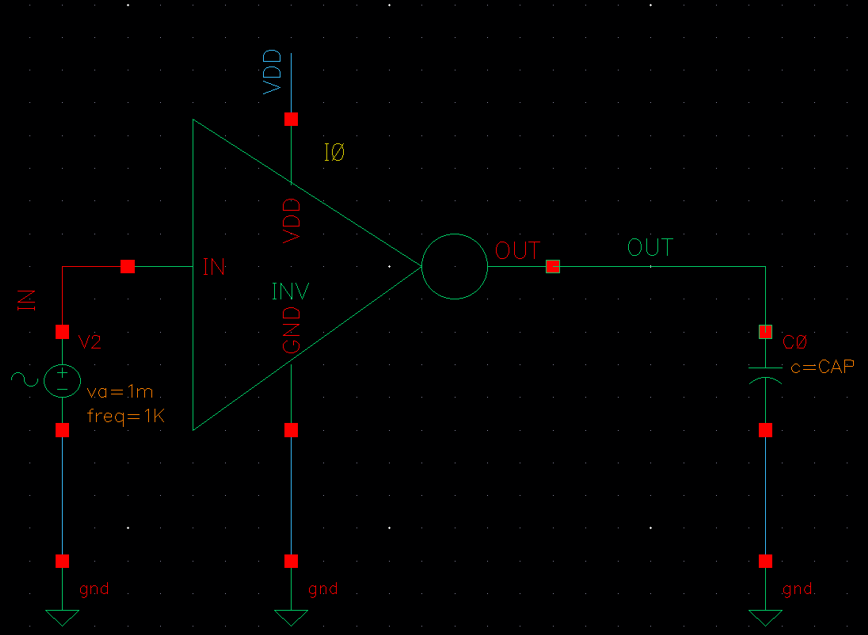

1.VDD 가 정현파일 경우

VIN Property와
ADE L Analysis 옵션 설정

Outputs > To Be Plotted > Select On Design 에서 plot원하는 값 클릭해주기
2. Vpulse 경우
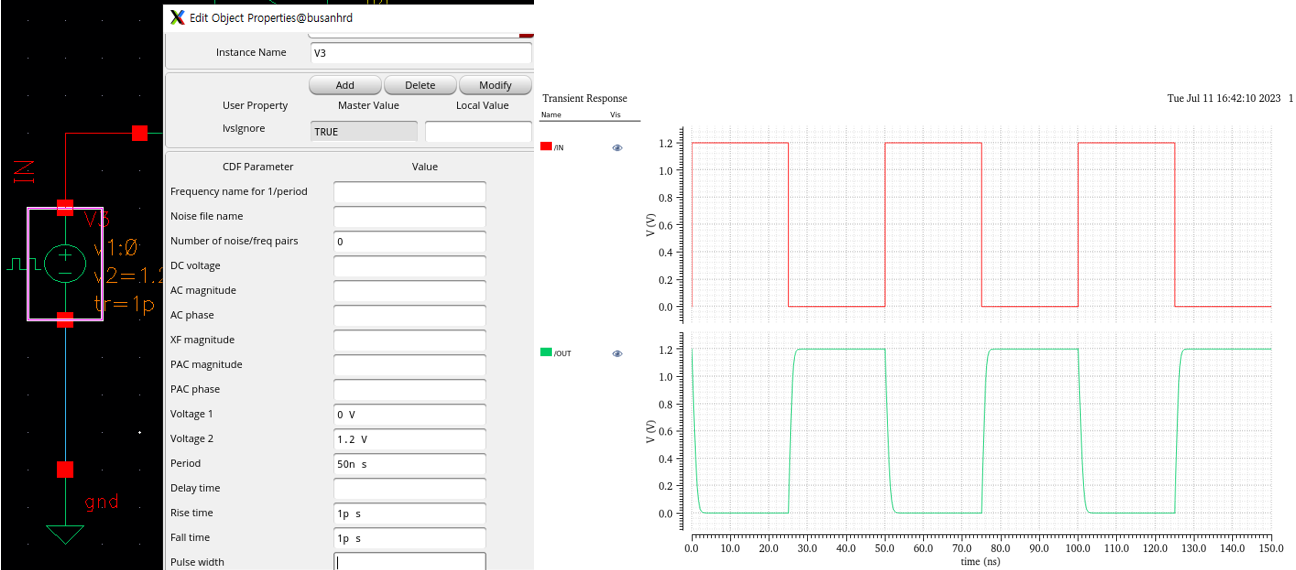
Load CAP 값 조정

> R/F edge 때 Vout 튀는 현상 방지가능
> tools-parametric analysis -> 10f~10p까지 10step 설정


Layout 설계
(자세한 설명은 다음 포스팅에서 따로 다룰 것임다)
type 1 : 노가다
type 2 : 라이브러리 사용
type 3 : property 활용
type 4 : finger type
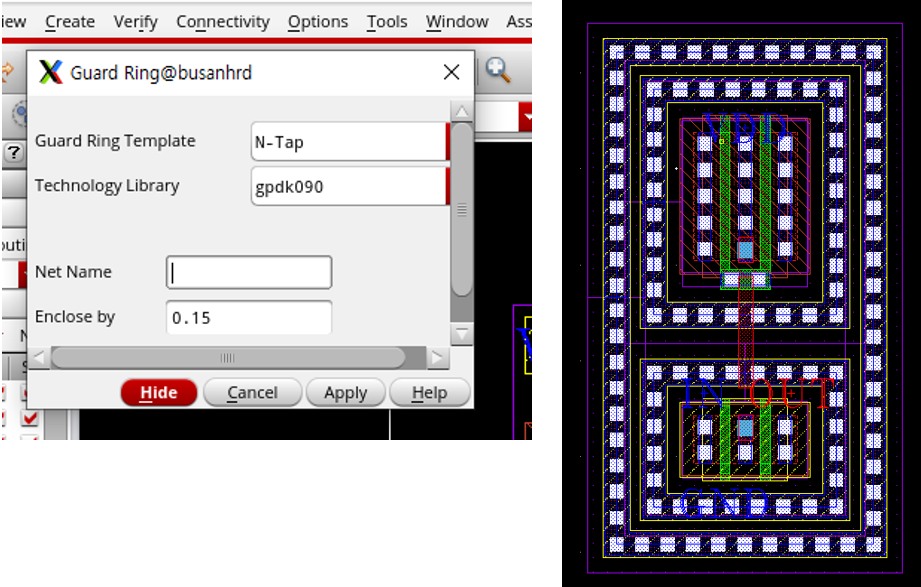
type 5 : Guard Ring
1) 노가다로 다 만든 경우
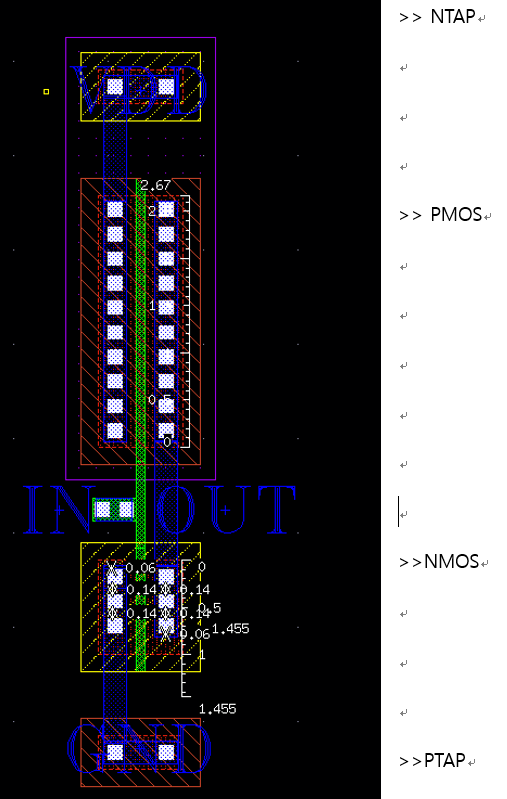
2) Creat > instance(단축키 I), multipart path, via 라이브러리 사용

3) property 옵션 활용한 경우

옵션으로 TAP 만들 수도 있다 (쉬움!) 비아도 쉽게 생성 가능
4) finger type ㅡ fingers 2 로 추가
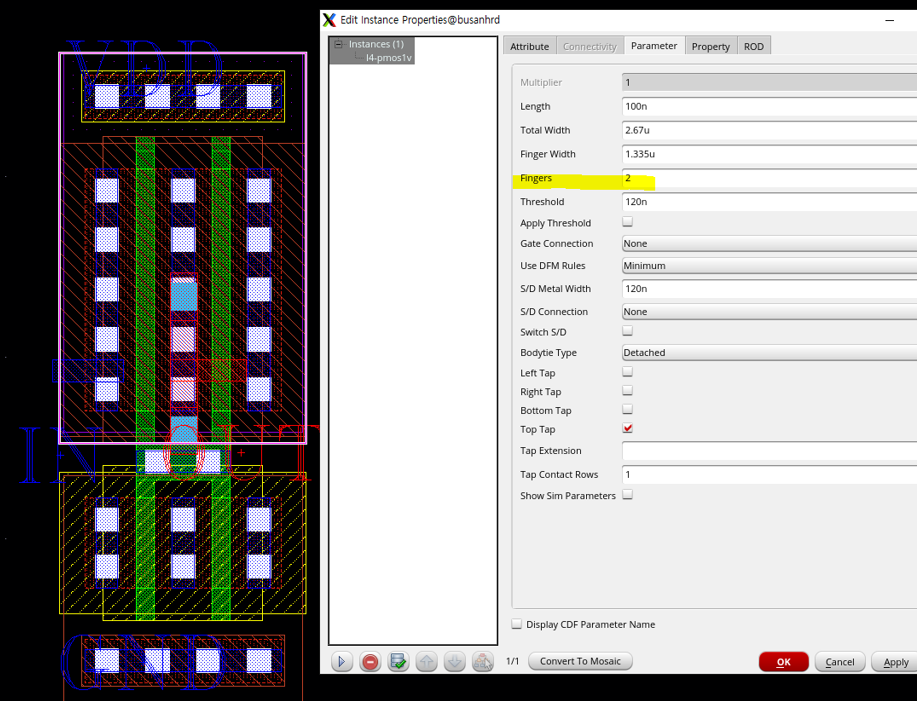
늘어나는 width에 비해, 줄어드는 길이가 크다 >효율적
소자 두 개를 쪼개어 S-D-D-S 연결한다고 생각
5) Guard Ring
미세한 노이즈에 민감할 경우
노이즈 차단에 효과적
Create>MPP Guard Ring
ㅡnoise가 아예 침투하지 못하게 링으로 가드시킴 ㅡ RF 시스템에 사용
'Full-Custom One Chip설계 > Virtuoso Digital+Analog 설계' 카테고리의 다른 글
| Pcell 제작, MPW(multi project wafer) (0) | 2023.08.21 |
|---|---|
| Current Mirror, cascode model (0) | 2023.08.21 |
| JK FlipFlop 의 문제점? Race Condition, Master-Slave filpflop (0) | 2023.08.21 |
| mosfet Operating Point (0) | 2023.08.21 |
| NAND Schematic, simulation, Symbol, Layout (0) | 2023.08.21 |


